Time and technology marches on. The LabRadar doppler
ballistic chronograph was state of the art for consumer grade chronographs just a
few short years ago. Then Garmin brought out their Xero C1 Pro Chronograph which
made the LabRadar old news.
The LabRadar was a vast improvement over the older optical skyscreen chronographs due
to easier setup with no danger of accidental bullet strikes. The Garmin, a much smaller
unit, was even easier to setup and start using.
Then Caldwell announced their Velociradar, which is an advanced unit almost as large
as a LabRadar. What all three of these devices had in common was a price tag of around
$600, though I’ve heard that the LabRadar is now dropping in price due to the new
competition.
New in 2025, Athlon has brought out the Rangecraft Velocity Pro radar chronograph at
a significantly lower price point. Currently, street price is around $400.
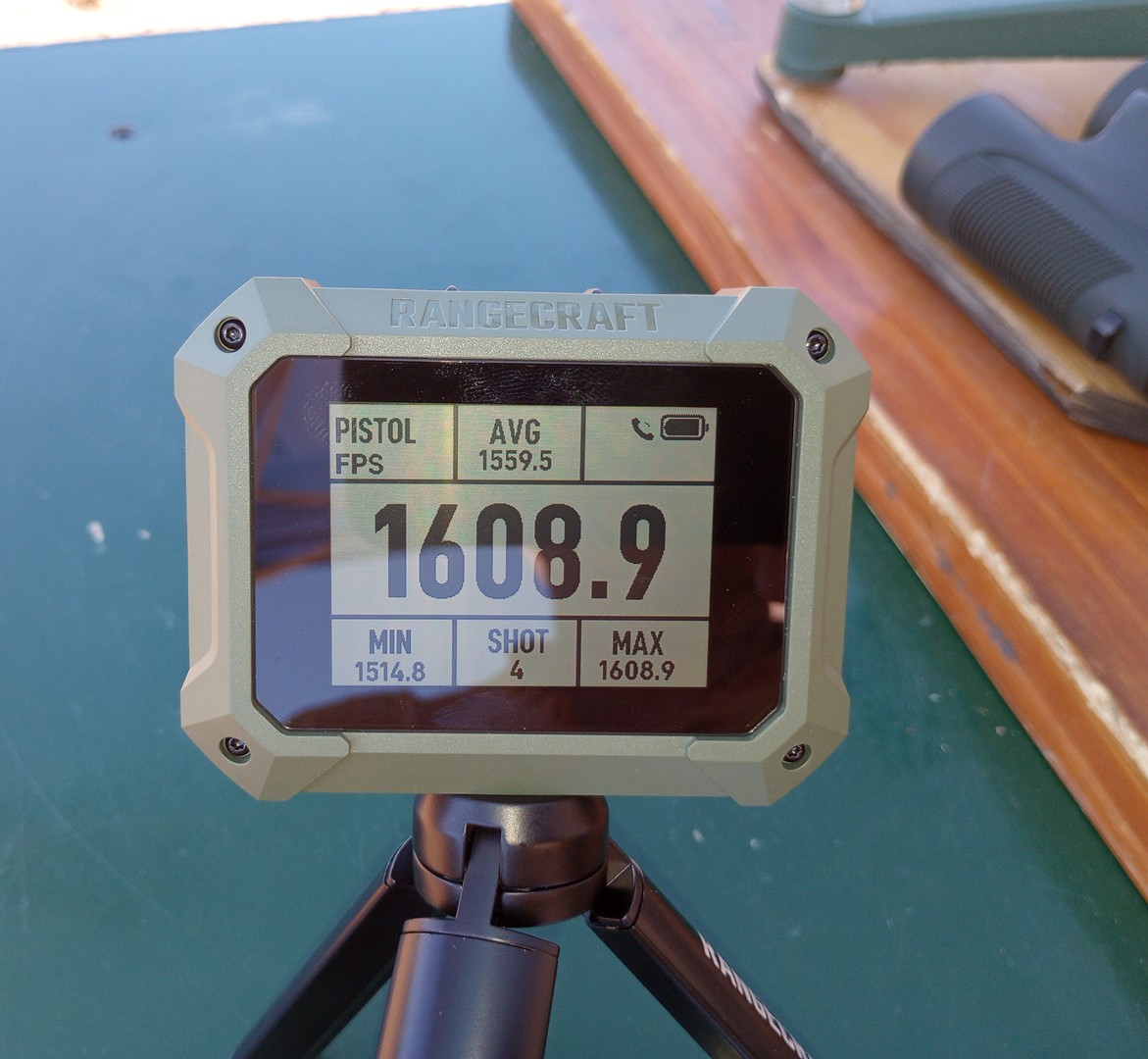
The unit is slightly larger than the Garmin Xero, measuring 3½” wide, by 2 ¾”
tall, by 1⅛” deep. The larger size is an advantage because this brings you a
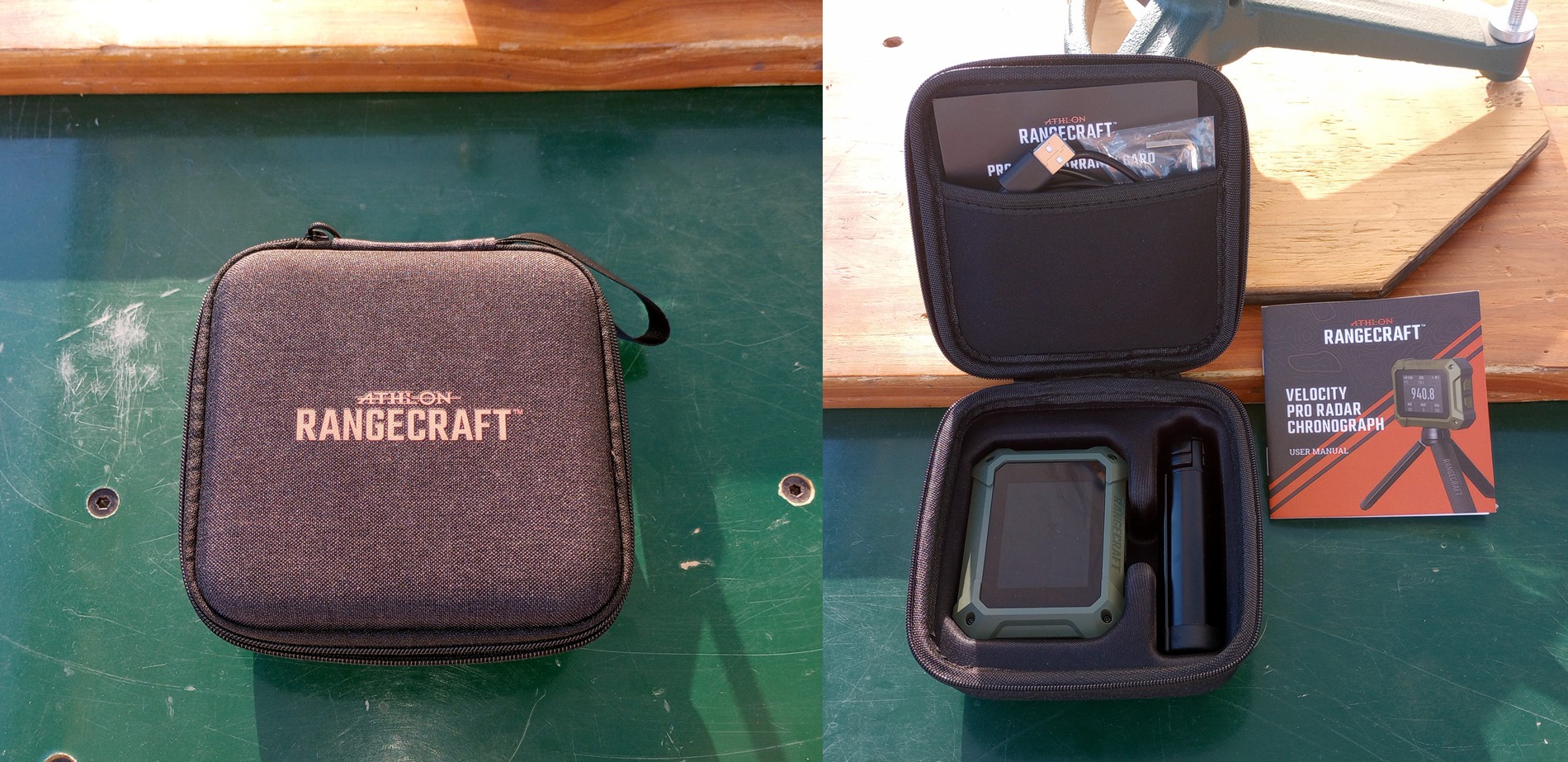
larger screen which is easier to read. The Athlon Rangecraft is supplied with a nice
padded carrying case with cutouts for the display unit and a small aluminum tripod.
The case also has a mesh pocket in the lid which holds the instruction book and a USB
cable. The USB cable is used to charge the internal battery. Athlon claims a battery
life of 6 hours plus.
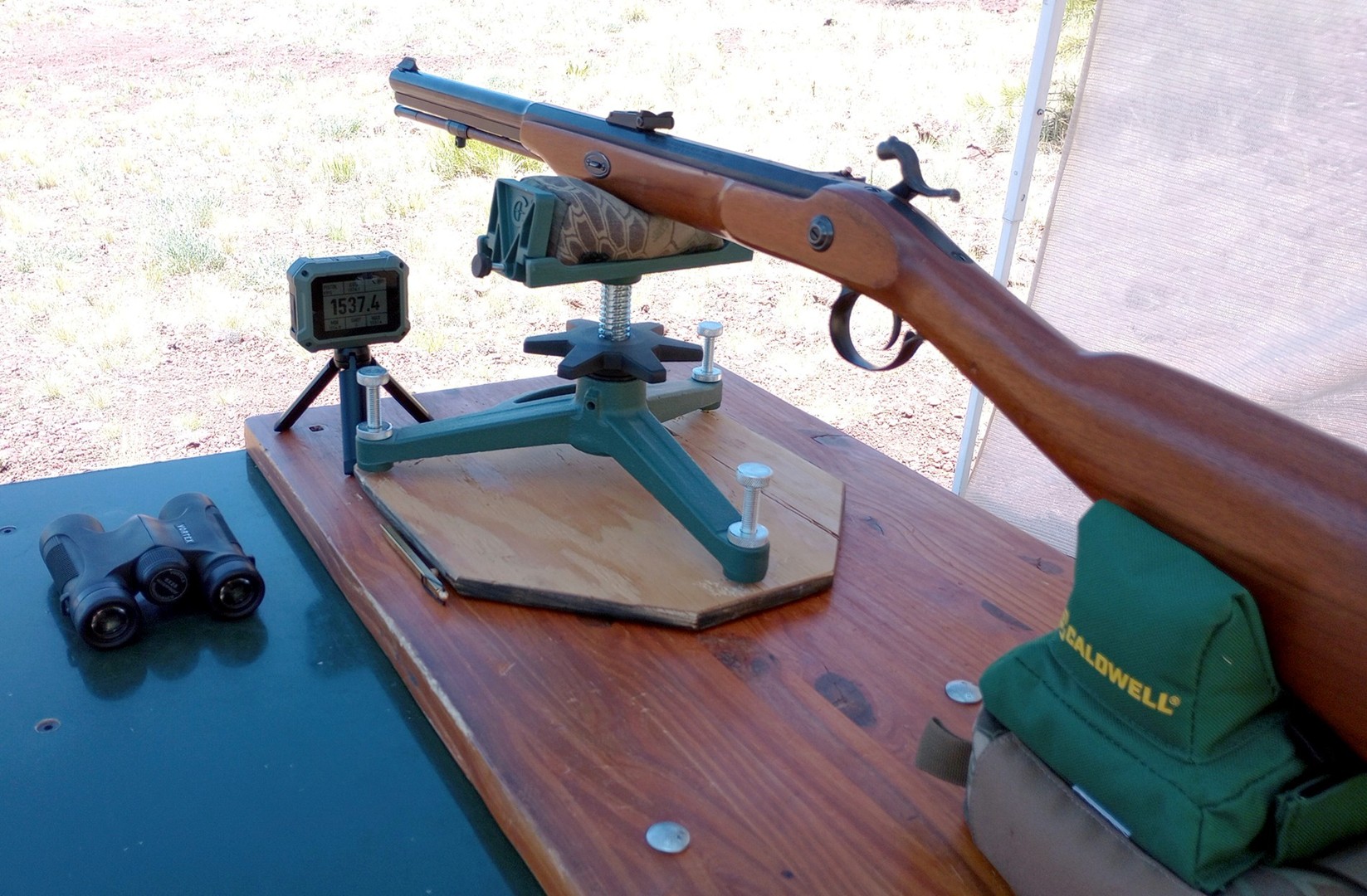
The tripod interface is a standard ¼-20 threaded hole, so the unit can be used with any
tripod. When you first turn on the unit, it shows a graphic explaining that the unit
must be placed between 4” and 10” of the muzzle of the firearm in any of the X, Y, and
Z axes. I found that my bench was just long enough to provide the required distance
without falling off the edge. But it was nice to know that I could have used a different
tripod to place the unit closer if necessary.
Alignment of a LabRadar to the target is pretty critical. The LabRadar provides an
alignment notch at the top of the unit to be used for sighting at the target. The Athlon
Rangecraft does not seem to be so critically sensitive to target alignment. As long as
the back of the unit is reasonably pointed at the target, I was getting reliable velocity
readings.
Speaking of reliability, what pushed me over the edge to buy one was that I couldn’t get
the LabRadar to reliably measure muzzleloader shots. I don’t know whether it was the big
cloud of white smoke, or a discarding sabot, or the cloth patch that confused the LabRadar,
but my capture rate of muzzleloader shots with the LabRadar was 50% or less. At such a
decent price, why not try the Athlon? After maybe 50 black powder shots fired, I only
failed to get a reading on two shots with the Athlon Rangecraft Velocity Pro.
The user interface consists of the screen and five buttons. On top, there are three
buttons. From left to right, they are labeled PWR/RTN, OPT/DEL, and OK. On the right
side of the unit are two buttons with up and down arrows for menu selection. The left
side of the unit has a rubber flap that protects the USB-C port that is used for charging.
To power on the unit, you press and hold the power button for about 3 seconds. You are
then presented with the previously mentioned screen that shows where you need to place
the unit with respect to the firearm. To move on, you must press the OK button.
You are then shown the main menu with four options:
- Quick Start Session
- New Session
- Previous Session
- Settings
If you choose Quick Start, you next must choose from Rifle, Pistol, Archery, or Air Gun
so that the radar knows what velocity range to expect. Actually, the next screen gives
you one more choice to select a velocity range. Strangely, it doesn’t make a difference
whether you choose Rifle or Pistol, you still need to choose either 600 to 1800 fps, or
1800 to 5000 fps.
With the next screen, the Rangecraft is ready to capture velocities. So it is relatively
quick to get going, and the menu structure is fairly simple to understand. The only
difference between Quick Start Session and New Session is that if you choose New Session,
you will have one extra step to set the weight of the projectile. Knowing the projectile
weight, the unit can calculate power factor and kinetic energy for you. Even if you pick
Quick Start, you can later go back and edit projectile weight for that session and it will
recalculate PF and KE.
Using the Previous Session menu option, you can go back and review any shot series.
Statistics calculated for a session include average, minimum, and maximum velocities,
standard deviation, extreme spread, kinetic energy and power factor. You can even look at
the shot record to read the velocity for each individual shot, and its deviation from the
average. It’s easy to delete individual shots, or entire shot strings (sessions).
Athlon provides a ballistic app that can pair your phone to the Rangecraft through
Bluetooth and sync all the information generated. Unfortunately, I was unable to
successfully pair either my Android phone or Android tablet using the app, so I was
relegated to paper and pencil to transcribe the Previous Session data to save it off
the device.
Very nice molded carry case. Fits easily in a range bag.
|
The unit can record up to 50 sessions with up to 100 shots per session. Each session
is date and time stamped as to when it was started. That’s a pretty deep memory.
Sessions are not forgotten through power-off, so you can always go back and review your
data. But to really know what you are looking at when you go back later, you will have
to write yourself notes as to what gun, what load, etc., you were firing at a particular
time stamp.
I understand that Athlon is diligently working to improve both the firmware and the app
to make things work better. But another problem is that the firmware gets updated through
the app. If you can’t connect your phone to the Rangecraft in the first place, then you
can’t update the firmware. Hmm.
I had a very similar problem with the early version of the LabRadar app. In time, LabRadar
came out with basically an entirely new version of their app that worked pretty good for me.
Let’s see if Athlon can ultimately get there with software and firmware that works together
reliably.
The probable issue is that my phone and tablet are older versions. Eventually I'll get a
new phone, because that's how things go, and I will probably be able to get my phone and
the Athlon to talk to each other then.
Though it has a USB cable for charging, you can’t pull data into your computer through that
interface. Sad. If it had a removable MicroSD card, that would be another welcome data
transfer method that unfortunately it lacks.
There are still things that the LabRadar can do that the Athlon Rangecraft cannot. The
Athlon measures one thing: muzzle velocity. It probably measures downrange velocities
internally to calculate MV, but the user has no access to that data. And that’s OK, because
that’s all that most shooters want from a chronograph.
But by accessing the deep data that the LabRadar generates and provides, you can see the
velocity data for approximately every 3 feet as a projectile flies downrange. You can
offload this data into your computer for deeper analysis. You can chart the downrange
velocity degradation and calculate your own ballistic coefficient. I’ve done this and
found some discrepancy between my data and the bullet maker’s claimed B.C.
The Athlon app is a more comprehensive ballistic app than merely an interface to the
chronograph. It has bullet libraries and can calculate your trajectory based on the
manufacturer’s B.C. and your measured average velocity. If you have an Athlon scope, it
has a library of Athlon reticles, so it can then calculate ballistic drops and/or come-ups
based on your particular scope. There’s a lot of promise there that I hope to someday be
able to take advantage of.
In summary, the Athlon Rangecraft chronograph does a very good job, and in a very handy-sized
package to take to the range. For those that can get the software to work as it is supposed
to, it must be an awesome value. Even for me, who so far cannot use the software, I find it
an excellent value and well worth the money spent.